If someone asked what CRM you use, you'd probably name three things that aren't a CRM
Here's the honest starting point: most equipment dealers don't think of themselves as having a CRM at all. Ask one what they use to manage customers, and the answer is usually a list — QuickBooks for invoices, a spreadsheet for the customer list, a notebook by the phone, maybe a whiteboard for scheduling, and the memory of whoever's been there longest. None of those is a CRM. Together, they're doing a CRM's job, badly, because nothing better was ever built for the way the business runs.
"CRM" stands for customer relationship management. Stripped of the jargon, it just means: a single place that holds everything you know about a customer, so you don't have to keep it in four places and your head. For most businesses, that's contacts and deals. For an equipment dealer, "everything you know about a customer" includes the machines they bought, when they bought them, how old those machines are now, every service call you've made, and the day each one is ready to be replaced.
So the real question isn't "do I need a CRM?" It's "should the most important information about my customers — their equipment and its service history — finally live in one place instead of scattered across tools that don't talk to each other?" For a dealer who sells and services, the answer is almost always yes.
A regular CRM tracks contacts. An equipment-dealer CRM tracks the machines.
General-purpose CRMs — the big names like Salesforce, HubSpot, Act!, and Maximizer — are built for any salesperson with a contact list. Their building blocks are a contact, a company, and a deal in a pipeline. That works for a business that sells labor or a one-time product. It falls short for a business whose whole relationship is built on a physical machine the customer will own for a decade.
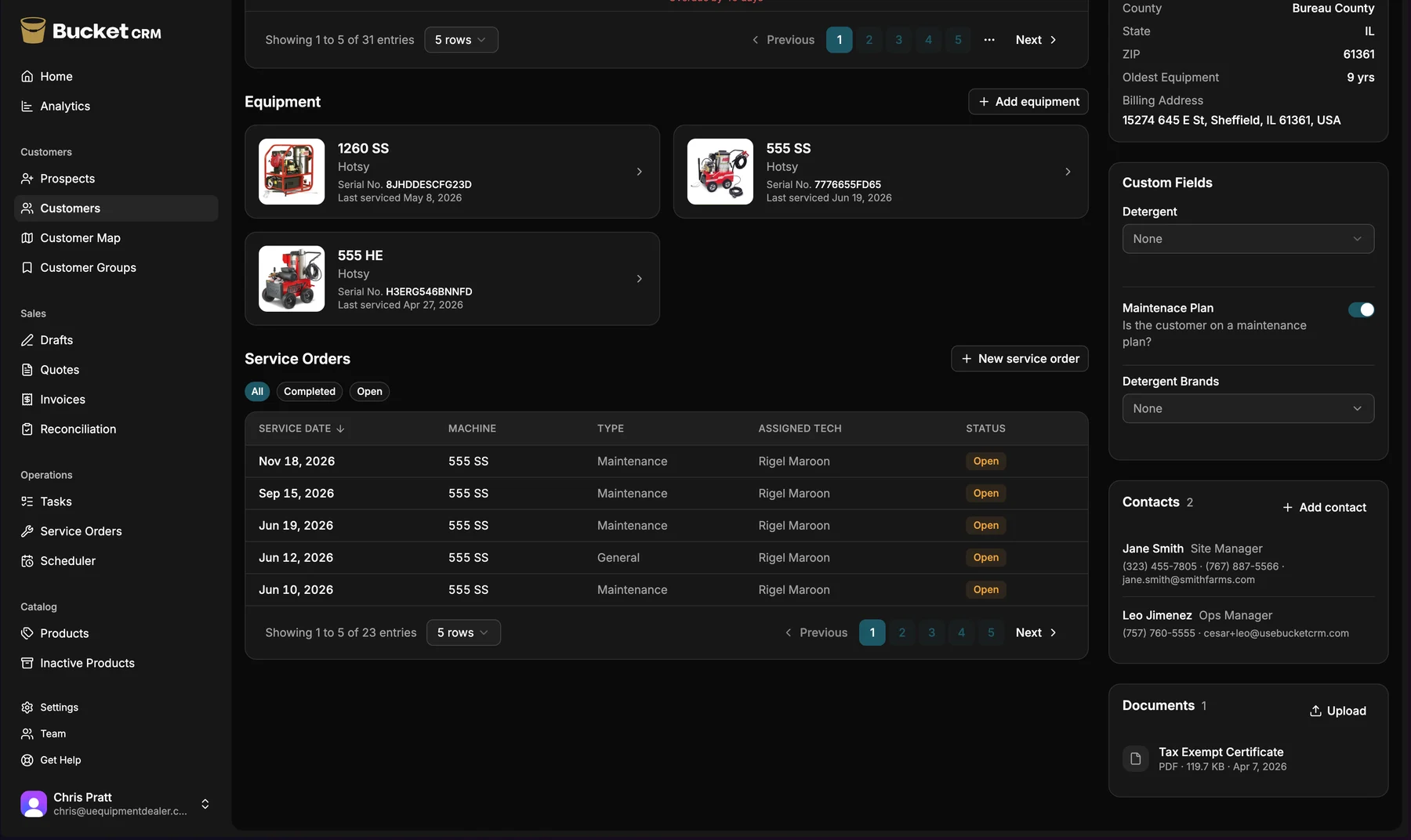
An equipment-dealer CRM adds the piece a regular CRM doesn't have: the equipment itself, as a first-class part of the customer record. Each customer's machines, with model and serial number, purchase date, age, and the complete service history attached to that specific unit. When a customer calls, you see not just their phone number but exactly what they own and everything that's been done to it.
That one difference unlocks the things a regular CRM can't do for a dealer. You can see which customers own machines old enough to replace. You can hand a service tech's field note straight to the salesperson. You can map your whole territory by equipment age. None of that is possible when "equipment" is just a line item on an old invoice.
Plan tomorrow in five minutes, answer the phone with the whole history in front of you, and find the next sale before a competitor does
A CRM built for your business should make a handful of everyday moments easier. Here's what to look for, framed as what you get out of it — not as a feature list.
You plan the week by where the money is, not by memory. A good equipment-dealer CRM shows you your customers on a map, color-coded by equipment age, so you spend five minutes deciding who to visit instead of an hour guessing. The upgrade conversations that used to hide in a filing cabinet are right in front of you.
You answer any customer call with the full picture. When the phone rings, you should see — in a tap or two — every machine that customer owns, its age, its service history, open quotes, and whether they're paid up. No flipping through screens while they wait.
Your service team feeds your sales team automatically. When a tech logs a service call and notices an aging unit, that note should land on the salesperson's record on its own. The handoff between service and sales is where dealers lose the most money, and a CRM built for you closes it.
You find the next sale instead of waiting for the phone to ring. The biggest shift a dealer-built CRM offers is a second way to make money. Instead of depending on word of mouth and customers calling when a machine dies, you can see the upgrade revenue already sitting in the customers you have, and go get it.
Your whole team can actually use it. This one is easy to overlook and decides everything. If the software takes more than a tap or two to get anywhere, the field team quietly goes back to paper. The right tool is built so a tech with one hand on a wrench can use all of it — two taps to anything.
It works with QuickBooks instead of replacing it. You shouldn't have to leave your accounting system. A good equipment-dealer CRM takes the customer, sales, service, and inventory side and hands the money cleanly to QuickBooks for the books.
Because the gaps between your tools are where the problems live
The honest answer is that you can keep running on QuickBooks, a spreadsheet, and a notebook — plenty of dealers do, for years. It works until it doesn't, and the failures are quiet ones. A salesperson drives out to quote a customer who's secretly past due, because the books and the field don't share a screen. A tech spots a replacement opportunity and forgets to mention it. A customer asks about a service from two years ago and the answer takes twenty minutes to assemble from four places.
The other cost is the one you feel every day: time spent wrestling tools instead of running the business. Keeping four systems in sync, re-typing the same customer into each one, untangling what they disagree about — those are hours not spent selling or growing. The tools were supposed to give you time back. Stacked up like that, they take it.
A CRM built for equipment dealers isn't about adding another tool. For most dealers, it's about replacing three or four of them with one — and keeping QuickBooks for the accounting, where it belongs.